
When you clean your documents, you turn a stressful pile of papers into a calm system you can trust. We’ve all had that moment: you need a policy, a certificate or a bill, and you spend an hour searching drawers, bags and old email attachments. A little organizing now can save you a lot of panic later. 🌿

Welcome to Day 8 of the New Year Prep series. Yesterday you finished your digital declutter. Today you’ll clean your documents, both paper and digital, using a simple 7-step system with a little help from AI. You don’t need special software or a free weekend.
If you’re joining mid-series, you may also like Day 6: Declutter Your Home, since your physical papers are probably hiding in that clutter.
🌟 Why You Should Clean Your Documents Before the New Year
Documents are easy to ignore until you need them urgently. Organized files help you in many everyday moments: filing taxes, claiming insurance, renewing an ID, applying for a loan or helping a family member in an emergency.
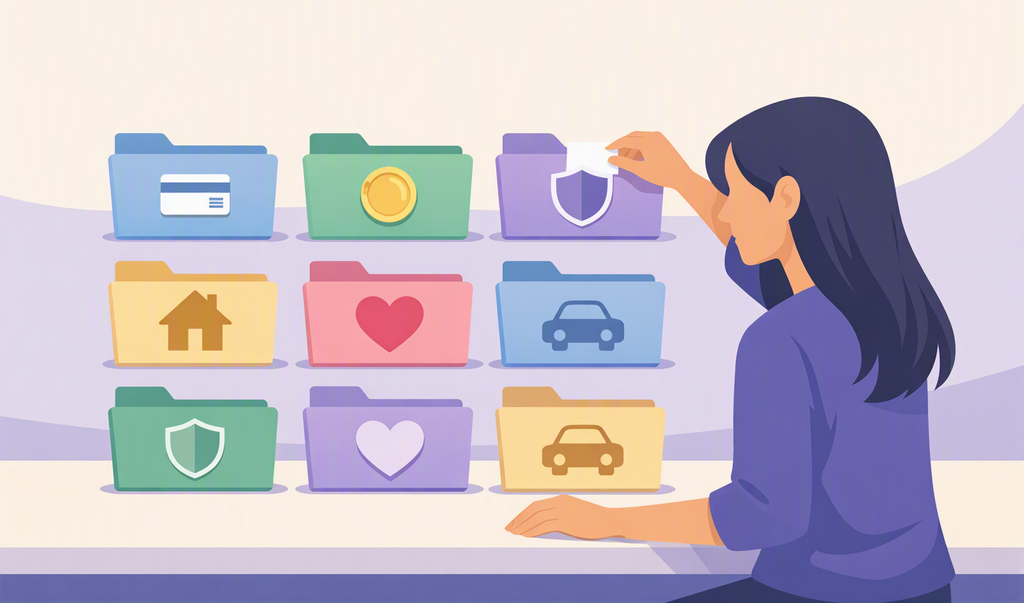
They also protect you. A good system means copies of your important papers exist in more than one place. The well-known 3-2-1 backup rule suggests keeping three copies of important data, on two types of storage, with one copy stored away from home. We’ll use that idea in Step 6.
📚 Step 1: Gather Everything in One Place
Collect every document you can find in one spot, such as a table or a large box. Check:
- Drawers, cupboards, envelopes and old bags
- Your email attachments and downloads folder
- Photos of documents saved on your phone
- Files saved in messaging apps
Don’t sort yet. Just gather. Seeing everything together helps you realize how much there is and makes the next steps easier.
🗂️ Step 2: Sort Into Nine Categories
Create nine simple piles or folders:
| Category | Examples |
|---|---|
| Identity | ID cards, passport, certificates |
| Money and banking | Statements, tax papers, investment records |
| Insurance | Health, life, home and vehicle policies |
| Home and property | Rent or purchase papers, utility bills |
| Health | Reports, prescriptions, vaccination records |
| Education and work | Degrees, marksheets, offer letters |
| Vehicle | Registration, service records |
| Warranties and receipts | Appliance bills and warranty cards |
| Family and other | Anything else important |
If something doesn’t fit anywhere, put it in a “Decide later” pile and review it at the end.
✂️ Step 3: Decide What to Keep, Archive or Shred
For each paper, choose one of three options:
- Keep: you need it regularly or it’s a hard-to-replace original
- Archive: you rarely need it, but should keep it, so scan it and store it safely
- Shred or recycle: expired, duplicate or no-longer-needed papers
Rules for how long to keep tax and financial records differ by country, so check your local requirements or ask a qualified accountant if you’re unsure. When in doubt, keep the document and make a note to check later. Shred anything with personal or financial details instead of throwing it in the bin.
📱 Step 4: Scan and Digitize
Your phone is a good scanner. You can use the built-in scan feature in your notes app or the Scan option in Google Drive. For clear scans:
- Place the paper on a flat, plain surface in good light
- Make sure all four corners are visible
- Save each document as a single PDF, with multiple pages combined
- Check that the text is readable before moving on
Scan your most important documents first: identity, insurance, property and health papers. You can do the rest over the next few weeks.
🏷️ Step 5: Name and Folder Your Files
Good names make files easy to find. Use one simple rule everywhere, like Year-Month_Category_Description. For example, 2026-10_Insurance_Health-Policy.pdf.
A simple folder structure might look like this:
Documents
├── 01_Identity
├── 02_Money
├── 03_Insurance
├── 04_Home
├── 05_Health
├── 06_Education-Work
├── 07_Vehicle
└── 08_Warranties
You can ask an AI tool to design the structure for you. Try this prompt:
I’m organizing my family documents. Suggest a simple folder structure and a file naming rule for categories like identity, money, insurance, home, health, education, vehicle and warranties. Keep it easy for a beginner to follow.
Important: use AI to design the system, not to read your documents. Please don’t upload IDs, bank papers or medical reports to an AI chat.
🔐 Step 6: Back Up and Protect
Now apply the 3-2-1 idea in a simple way:
- Keep one copy on your phone or laptop
- Keep a second copy on an external drive or USB stick
- Keep a third copy in secure cloud storage
Protect your digital files with a strong password and two-step verification on your cloud account. For especially sensitive folders, consider using encryption or a password-protected archive. Never share your document folder links publicly.
📁 Step 7: Create a Physical “Originals” File and a Monthly Habit
Keep original papers that can’t be replaced easily in one expandable folder or box, labeled Important Originals. Store it somewhere safe and let one trusted family member know where it is.
Then add a small maintenance habit:
- Weekly (5 minutes): put new papers in a single “To file” tray
- Monthly (15 minutes): scan, name and file everything in the tray
- Yearly (1 hour): review, shred old papers and update your backups
A system you maintain in small steps will never become a pile again.
✅ Clean Your Documents Checklist
- ☐ Gathered all papers and files in one place
- ☐ Sorted into nine categories
- ☐ Decided keep, archive or shred for each item
- ☐ Scanned my most important documents
- ☐ Named files with one simple rule
- ☐ Backed up using the 3-2-1 idea
- ☐ Created an Important Originals folder
- ☐ Set a monthly filing habit
❓ Clean Your Documents: Frequently Asked Questions
How long does it take to clean your documents?
Most households need two to four hours for the first sort, plus a few short sessions for scanning. Break it into 30-minute blocks if that feels easier.
Which documents should I scan first?
Start with identity papers, insurance policies, property papers and health records. These are the most useful in emergencies.
Do I need to keep paper copies after scanning?
It depends on the document. Some original papers, like certificates and property documents, should be kept. Check your local rules or ask a professional if you’re unsure.
Is it safe to use AI with my documents?
Use AI for plans, folder ideas and naming rules, but avoid uploading sensitive documents or personal details.
🌿 Final Thoughts
When you clean your documents, you give your future self a gift: calm. The next time you need an important paper, you’ll know exactly where it is. You don’t need perfection, just a simple system you’ll actually use.
Tomorrow, on Day 9, head over to our sister blog for your Money Reset. Your organized papers will make it much easier. And if you’d like all the New Year Prep worksheets in one place, grab the Ultimate New Year Prep Guide from The Mindful Studio Shop.
Now it’s your turn: which document will you scan first? Share it in the comments. I’d love to cheer for you! 👇
Pingback: Life Admin Day: 7 Powerful Steps to Clear Your To-Do List
Pingback: Financial Emergency File: 7 Powerful Steps to Create Yours