New Year Prep

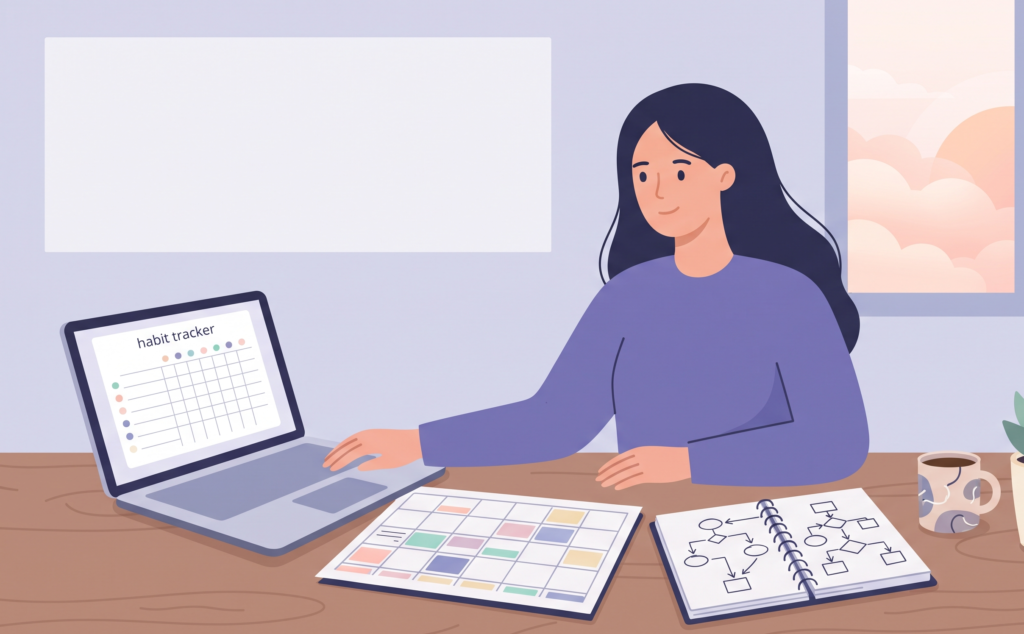
Woman turning her goals into systems with a habit tracker and weekly planner
New Year Prep

Turn Goals Into Systems: 7 Powerful Steps to Succeed

To turn goals into systems is to stop relying on motivation and start building small, repeatable routines that carry you toward what you want. We all begin the year full of energy and big goals. By February, many of those goals fade, and it isn’t because we’re lazy. It’s because a goal tells you where to go but not how to get there on an ordinary Tuesday. 🌿 Welcome to Day 28 of the New Year Prep series. Over the past weeks you’ve reflected, reset and planned. Today you’ll turn all of that into a working machine. In this guide, you’ll follow 7 clear steps to turn goals into systems, using AI to build trackers, reminders and reviews that keep you going without constant effort. If you missed them, start with Day 27: Create Your Personal Rulebook and Day 19: Build Your Ideal Week. Your rules and your weekly plan are the foundation for today’s work. 🌟 Why You Need to Turn Goals Into Systems A goal is a result you want, like saving a certain amount or publishing a product. A system is the process you follow regularly that makes that result more likely, like moving money on payday or writing every Wednesday. Goals give direction, but systems create progress. A goal can feel far away and stressful, while a system is something you can complete today. When you focus on the system, you can succeed every day, even before you reach the result. Systems also protect you on low-energy days. Motivation rises and falls, but a simple routine with a clear trigger keeps moving. 🎯 Step 1: Choose Your Top Three Goals Gather everything you’ve created in this series and pick no more than three goals for the first 90 days: Write each as a clear outcome with a date, such as “Save an emergency fund of one month’s expenses by June.” If you have more than three, move the rest to your Later List. Too many goals mean none get a real system. 🧭 Step 2: Separate the Goal From the System For each goal, write two things side by side: the result you want and the regular action that will create it. Here are some examples: Goal (result) System (regular action) Build a one-month emergency fund Automatic transfer on payday and a 10-minute money check every Sunday Learn a new skill in 90 days 30 minutes after morning tea, five days a week Grow my blog Write on Wednesday mornings and publish every Friday Feel healthier A 10-minute walk after dinner and a fixed bedtime Notice that each system is something you can do today. It doesn’t depend on luck or on other people. 🔧 Step 3: Focus on Inputs You Control Some parts of a goal are outside your control, like how many people read your post or how the market behaves. Other parts are fully in your hands. Divide each goal into: Build your system around inputs. If you do your inputs consistently, outputs usually follow. And when results are slow, you can still feel proud because you did what you planned. Keep your inputs small. “Write 100 words” is better than “write a blog post,” and “put on walking shoes” is better than “exercise for an hour.” A tiny action is much easier to start. ⚙️ Step 4: Design Each System With Four Parts A strong system has four simple parts: Triggers work best when they follow the “if-then” style known as implementation intentions: “If it’s 9 PM, then I put my phone on the charger.” Planning the situation in advance makes it easier to act when the moment comes. Also plan a minimum version for hard days, such as five minutes instead of thirty. And add a restart rule: if you miss a day, you simply continue the next day without guilt. 🧰 Step 5: Build One Simple Tracking Tool You need a way to see your progress, but it must be simple. Choose one tool and stick with it: Then create a one-page weekly dashboard with your three goals, their systems and a quick scoreboard. Keep it somewhere you’ll see it every day. Too many apps and complicated setups kill good systems, so keep it light. 🤖 Step 6: Use AI to Build and Automate Your Systems This is where AI saves you hours. Use it to design your tracker, write your routines and set up reminders. Try these prompts: I have three goals for the next 90 days: [list]. For each, design a simple daily or weekly system with a trigger, a small action, a way to track it and a minimum version for busy days. Present them in a table. Create a simple habit tracker layout that I can copy into Google Sheets, with habits in rows, days of the week in columns and a weekly total. Explain how to set it up step by step. Write a 10-minute weekly review checklist for me with five questions about my wins, challenges and next week’s priorities. You can then use your tools to automate the boring parts: Important: keep the system simple, because AI can create something so detailed that you never use it. Check every plan against your real life, and don’t share private information, such as account numbers or sensitive documents, in your prompts. 🔁 Step 7: Review Every Week and Fix What Isn’t Working Systems get better through small adjustments. Hold a 15-minute weekly review, such as Sunday evening, and ask: When a system isn’t working, don’t blame yourself. Check these common fixes: Problem Try this I keep forgetting Change the trigger or add a visible reminder It takes too long Shrink it to a two-minute version It feels boring Add a small reward or pair it with music or tea It’s too hard to start Prepare everything the night before It no longer matters Replace it, because your goals can change Also hold a monthly review to check your progress toward your 90-day goals, and


Woman doing a social media reset by organizing her phone apps and feeds
New Year Prep

Social Media Reset: 7 Powerful Steps to Take Back Control

A social media reset is a gentle clean-up of how you use social platforms, so they serve your life instead of draining it. Most of us open an app “for a minute” and look up twenty minutes later feeling more tired, distracted or compared to others than when we started. If you also create content, the pressure to post, perform and keep up can feel even heavier. 🌿 Welcome to Day 26 of the New Year Prep series. Yesterday you completed your career and business reset. Today you’ll reset the place where much of your attention goes, using AI to make your own content easier. In this guide, you’ll follow 7 clear steps to clean your feeds, set healthy limits and build a calm content routine. If you missed them, start with Day 25: Career and Business Reset and Day 18: Time Audit. Your time audit data makes today’s step one much easier. A kind note: if social media is seriously affecting your mood, sleep or relationships, consider taking a longer break and talking to a trusted person or a qualified professional. 🌟 Why a Social Media Reset Matters Social platforms are designed to hold your attention. Endless scrolling, constant notifications and carefully timed updates make it easy to lose track of time. Habits like doomscrolling, which means continuing to scroll through negative news, can leave you anxious without giving you anything useful. Comparison is another quiet drain. Seeing everyone’s highlights can feed what’s often called fear of missing out, the uneasy feeling that others are doing better or enjoying more than you are. You don’t need to quit social media to feel better. You just need to choose how you use it. 📊 Step 1: Audit Your Real Usage Start with facts, just as in your time audit. Open your phone’s Screen Time (iPhone) or Digital Wellbeing (Android) and write down: Then, for three days, rate how you feel after each session: Platform Time spent How I felt after App 1 40 min Drained App 2 15 min Inspired App 3 30 min Anxious Mark each platform keep, limit or leave. The “how I felt” column is your most honest guide. 🧹 Step 2: Clean Your Feeds Your feed is a mirror of what you’ve followed. Spend 20 minutes cleaning it: A good target is to remove at least 20 accounts that don’t add value. Your feed will feel calmer almost immediately. ⏲️ Step 3: Set Healthy Boundaries Boundaries work better than willpower. Choose three or four from this list: These boundaries also support your sleep routine from Day 16 and your ideal week from Day 19. Write your rules on a card and keep it where you can see it. 🪪 Step 4: Tidy Your Profiles and Privacy Your online presence deserves a quick clean-up too. For each account you’re keeping: This ten-minute security check protects you from many common problems and gives you a fresh start. Remember not to share sensitive details like your address, ID numbers or financial information publicly. 🎯 Step 5: Choose Your Platforms and Your Purpose If you create content, you can’t be everywhere, and you don’t need to be. Choose one or two main platforms where your audience actually spends time and where you enjoy creating. Then decide: Everything you post should fit one of your pillars. Fewer platforms with a clear purpose will grow your presence faster than posting everywhere with no plan. If you’re not a creator, apply the same idea to your own use: decide why you’re on each platform. 🤖 Step 6: Use AI and Batching to Keep Content Calm Posting daily without a system leads to burnout. Instead, batch your content: create several pieces in one sitting, then schedule them. A simple rhythm might be: AI can speed up each stage. Try these prompts: I’m a [type of creator] sharing content about [your three pillars] for [audience]. Suggest 20 post ideas for the next month, mixing tips, stories and questions. Make them practical and beginner-friendly. Here is one idea: [idea]. Turn it into a short video script, a caption and a few discussion questions I can use across different platforms. Write five caption options for this post: [summary]. Keep the tone warm and friendly, and end each with a gentle question. Repurposing is another powerful time-saver. Turn one blog post into a short video, a few image slides and a caption. That’s one idea used several ways. Important: AI drafts should always be edited so they sound like you. Check facts, avoid copying others, follow each platform’s rules and don’t paste private information into your prompts. 💬 Step 7: Engage With Intention and Review Monthly Social media is meant to be social. Instead of mindless scrolling, try this: Then hold a monthly review. Ask: Which platform helped me? Which drained me? Did my content match my pillars? What will I change next month? Adjust your limits and plans accordingly. Please note: this guide is for general information and reflection. Your experience online is personal, so choose habits that support your own wellbeing. ✅ Social Media Reset Checklist ❓ Social Media Reset: Frequently Asked Questions What is a social media reset?It’s a clean-up of your feeds, habits and settings so your time online supports your wellbeing and your goals. Do I have to quit social media?No. A reset is about using it intentionally, not necessarily leaving. Some people choose a short break, and others simply adjust their habits. How can I stay consistent as a creator without burning out?Batch your content, repurpose each idea into multiple formats and use a realistic schedule. Posting fewer, better pieces is fine. Is it safe to use AI for my content?AI is a helpful draft tool, but always edit in your own voice, check facts and avoid sharing private information in your prompts. 🌿 Final Thoughts A social media reset gives you back your attention, your time and your peace. When your feeds are calm and your habits are clear, you

Woman doing a career and business reset with a planner, laptop and goal sketch
New Year Prep

Career and Business Reset: 7 Powerful Steps to Plan 2027

A career and business reset is a calm, honest check-in on your work life: what’s working, what’s draining you and what you want your work to look like in 2027. Whether you have a job, run a business, freelance, create content or plan to return to work, the end of the year is the best time to step back and choose your direction, instead of continuing on autopilot. 🌿 Welcome to Day 25 of the New Year Prep series. Yesterday you built your learning plan. Today you’ll point that learning in the right direction with a career and business reset, using AI as a thinking partner. In this guide, you’ll follow 7 clear steps to review your year, choose a focus and set a 90-day plan you can actually follow. If you missed them, start with Day 24: Learning Plan and Day 4: Choose Your Priorities. Your priorities guide every decision in this post. 🌟 Why a Career and Business Reset Matters Work takes up a huge part of our lives, yet we rarely review it the way we review our money or our health. Months pass, and we keep doing the same tasks simply because we’ve always done them. A career and business reset gives you three things: clarity about what you want, focus on what actually produces results and a plan for the first 90 days of the year. It also helps you spot problems early, such as burnout, undervalued skills or income that depends on a single source. You don’t need to be a business owner to benefit. If you work for someone else, a reset helps you plan growth, a raise conversation or a career shift. If you’re a homemaker building your own income, it helps you grow with intention instead of guesswork. 📋 Step 1: Review Your Work Year Start with facts. Open your calendar, your files, your bank statements and your notes, and answer these questions in writing: Question Your answer What were my three biggest work wins this year? What did I earn, or what did my work bring in, from each source? Where did most of my time go? What drained my energy? What did I avoid or postpone? What did I learn about myself at work? Be honest and kind. If the numbers are lower than you hoped, treat them as information, not as a verdict. Many people also find that the question about energy shows more than any spreadsheet. 🧭 Step 2: Clarify What You Want From Work in 2027 Before setting goals, decide what “good work” means for you now. Rate each of these from 1 to 5 for how much it matters to you this year: Circle your top two. These are your work values for the year, and they act as a filter. For example, a high income goal with a high balance goal needs a smarter plan, not simply more hours. 🎯 Step 3: Find Your 20 Percent The Pareto principle suggests that a small share of your efforts often creates most of your results. It’s a rule of thumb, but it’s very helpful for a reset. List everything that brings in income or progress: clients, products, services, platforms and projects. Then list your main weekly tasks. Mark: Plan to give more time to your top performers and to reduce, simplify or delegate the low-value items. Add the low-value tasks to your stop doing list from Day 5. 🔍 Step 4: Do a Personal SWOT A SWOT analysis is a simple tool for looking at Strengths, Weaknesses, Opportunities and Threats. Draw four boxes and write three to five points in each: Box Questions to ask Strengths What am I good at? What do people thank me for? Weaknesses Where do I struggle or avoid? What skills are missing? Opportunities What trends, tools or needs could I use? (AI tools are a big one.) Threats What could hold me back, such as time, money, competition or burnout? Then connect them. Which strength could help you use an opportunity? Which weakness might your learning plan fix? This small exercise often reveals a clear direction. 🏁 Step 5: Set Your 90-Day Goal A year is too long to plan in detail, so focus on the next 90 days. A helpful format is OKRs: one objective (what you want) and two or three key results (how you’ll measure it). Objective Key results Grow my blog into a steady source of income Publish 12 posts, reach a set number of email subscribers and launch one digital product Move toward a better role at work Complete one certification, update my resume and talk to my manager about growth Build a reliable freelance income Pitch 20 potential clients and secure three paying projects Choose one objective only. Make sure your key results are specific, measurable and realistic given your ideal week from Day 19. Then break each key result into weekly tasks. 🤖 Step 6: Use AI to Build Your Systems AI works best on your work when you use it to plan, draft and organize. Try these prompts: I’m a [role, like blogger, freelancer or manager]. My 90-day objective is [objective]. Create a week-by-week plan with 3 priority tasks per week. I can work [hours] per week. Here is my weekly task list: [list]. Identify which tasks I could automate, template or delegate, and suggest simple tools or checklists to do it. Help me write a clear, friendly email to [a client, manager or collaborator] to [purpose, like asking for feedback or proposing a new project]. You can also use AI to: Important: never paste confidential client information, passwords, financial records or private documents into an AI chat. AI can also make mistakes, so review everything before using it, especially numbers, contracts and legal or financial content. 🔁 Step 7: Set Up Your Weekly “CEO Hour” and Quarterly Reset Even if you’re not a CEO, you’re the leader of your own work. Add three simple review habits to your calendar: Also

Woman building a learning plan with a laptop, notebook and online course
New Year Prep

Learning Plan: 7 Powerful Steps to Master a Skill in 2027

A learning plan is a simple roadmap for building one new skill over the coming year, with clear goals, a small daily routine and a way to track your progress. Many of us collect courses, bookmark tutorials and buy books, yet never move past the first few lessons. The problem is rarely a lack of motivation. It’s usually a lack of a plan. 🌿 Welcome to Day 24 of the New Year Prep series. You’ve built your ideal week and cleared your admin list. Today you’ll use that time wisely by creating a learning plan for one skill that moves your life forward. In this guide, you’ll follow 7 practical steps, with AI acting as your personal study partner. If you missed them, read Day 19: Build Your Ideal Week and Day 4: Choose Your Priorities. Your priorities will tell you which skill is worth your time. 🌟 Why You Need a Learning Plan Learning without a plan is like walking without a destination. You stay busy but go nowhere. Watching ten tutorials on the same topic feels productive, but it often replaces the real work: practicing. A learning plan fixes this by answering four questions: What am I learning? Why? How will I practice? How will I know I’m improving? It also protects you from “shiny object syndrome,” the habit of jumping to a new interest every week. When you commit to one skill for 90 days, you give yourself the chance to reach a level that actually changes something in your life. 🎯 Step 1: Choose One Skill That Supports Your Priorities Open your three priorities from Day 4 and ask: “Which skill would make at least one of these easier or more rewarding?” Here are some examples: Choose only one main skill for the next three months. You can have a small side interest, but give your energy to one. Ask yourself: “If I get better at this, what changes in my life?” 🏁 Step 2: Define a Clear 90-Day Outcome “Learn video editing” is too vague. A clear outcome sounds like a finished project. Try this format: By [date], I will be able to [specific result], shown by [proof]. Examples: Vague goal Clear 90-day outcome Learn video editing Edit and publish five short videos with captions by March 31 Learn Excel Build my own household budget spreadsheet with formulas by February 28 Learn Spanish Hold a five-minute simple conversation by the end of March A clear outcome tells you what to learn and, just as importantly, what you can ignore. 📚 Step 3: Pick One or Two Resources Only Too many resources lead to confusion. Choose one main resource and one backup: Check that the resource matches your level and teaches by doing, not only by watching. Then close the other tabs. You can always return to your bookmarks after 90 days. ⏰ Step 4: Put Learning Into Your Ideal Week Learning only happens if it has a place in your calendar. Open your ideal week from Day 19 and add: The Pomodoro Technique, which uses short focused work sessions with small breaks, can make study blocks feel lighter. Try 25 minutes of focus and a 5-minute break. Small, regular sessions beat long, rare ones. Thirty minutes a day adds up to over 90 hours in a year. 🤖 Step 5: Use AI as Your Study Partner This is where AI can make learning faster and more enjoyable. Use it as a tutor, a coach and a quiz master. Try these prompts: I want to learn [skill] in 90 days to achieve [outcome]. I can study [30 minutes] a day, [5] days a week, and I’m a [beginner]. Create a week-by-week learning roadmap with one small practice task each week. Explain [concept] to me like I’m a complete beginner. Then give me three practice questions and check my answers when I reply. Here’s the practice work I did: [paste your own work]. Give me kind, specific feedback and one thing to improve next. You can also use a tool like NotebookLM to upload your own notes or study material and ask questions about them. This is a great way to review what you’ve learned and create summaries. Important: AI can make mistakes and sometimes sounds confident when it’s wrong, so double-check important facts with trusted sources. Use AI to support your learning, not replace your own practice. And please don’t paste private or sensitive information into AI tools. 🛠️ Step 6: Learn by Doing and Review With Spaced Practice Reading and watching feel productive, but your brain learns most when you use the skill. For every hour of learning, aim for at least as much time practicing. Try these methods: Keep a progress folder where you save your work. Looking back at it after a month is very motivating. 📊 Step 7: Track, Review and Share Track your progress simply, with a notebook or a habit tracker. Set three checkpoints: Checkpoint Question to ask Day 30 Am I practicing regularly? Is my resource working? Day 60 Can I do a small version of my final outcome? Day 90 Did I reach my outcome? What’s next? At each checkpoint, adjust your plan instead of quitting. If something isn’t working, change the resource or the schedule, not your goal. Finally, share your progress somewhere, such as with a friend, in a small community or on social media. Telling others adds gentle accountability, and teaching or showing your work deepens your learning. Celebrate when you reach day 90, then choose whether to keep going or pick your next skill. Please note: this guide is for general information and planning. Choose learning that fits your time, budget and goals. ✅ Learning Plan Checklist ❓ Learning Plan: Frequently Asked Questions What is a learning plan?It’s a roadmap for learning a skill, with a clear outcome, chosen resources, a regular schedule and checkpoints to track your progress. How many skills should I learn at once?One main skill for 90 days is

Woman doing a time audit by tracking her day in a planner with a clock beside her
New Year Prep

Time Audit: 7 Powerful Steps to Reclaim Your Week

A time audit is a simple way to see where your hours really go, instead of where you think they go. Most of us feel busy all day and still end the evening wondering what we actually did. A time audit replaces that fog with facts, so you can decide on purpose how to spend your most limited resource. 🌿 Welcome to Day 18 of the New Year Prep series. You’ve reset your money, your home, your health and your mind. Now it’s time to look at the thing that connects them all: your time. In this guide, you’ll follow 7 easy steps to complete a time audit, with AI helping you spot patterns and plan changes. If you’re joining mid-series, start with Day 4: Choose Your Priorities and Day 5: Stop Doing List, because your time audit will test how well your days match your priorities. 🌟 Why a Time Audit Matters Time is the one resource you can’t save, borrow or buy more of. Yet we often spend it more casually than money. Without tracking, we tend to underestimate small things, like phone checks and “quick” tasks, and overestimate how much we get done. Good time management starts with awareness. A time audit shows you three important things: There’s no need for guilt. You’re a detective, not a judge. 🗂️ Step 1: Choose Your Categories Before tracking, decide on a handful of simple categories so your notes stay quick. Here’s a sample list you can adapt: Keep to eight or ten categories. Too many make tracking tiring, and too few hide useful details. ⏱️ Step 2: Track Three Typical Days For three days, including one weekend day, write down what you do in 30-minute blocks. You can use a notebook, a printed planner or a notes app. Set a few phone reminders to record your time during the day, because writing everything at night leads to guessing. A sample section might look like this: Time Activity Category Energy 6:00-6:30 Tea, scrolling in bed Phone Low 6:30-8:00 Cooking, children’s morning Household and family Medium 8:00-9:00 Blog writing Work or business High 9:00-9:30 Social media check Phone Low Add the energy column. It’s quick to fill in, and it often gives you the most useful insights. 📱 Step 3: Add Your Phone Data Your phone already tracks a lot. Check: Look at your daily average, your most-used apps and how many times you pick up your phone. Compare this with your own notes. If your phone says three hours but your notes say one, trust the phone. It’s usually more honest than memory. 🧮 Step 4: Total It Up and Ask Questions At the end of day three, add up the hours in each category. Then ask: Mark your activities with colors: green for energizing, yellow for neutral and red for draining. Patterns appear quickly. 🕳️ Step 5: Spot Your Time Leaks A time leak is a pocket of time that disappears without giving you anything back. Common ones include: Circle your top three leaks. Together they may already add up to an hour or more per day. 🎯 Step 6: Compare Your Real Week With Your Priorities Now bring in your three priorities from Day 4. For each one, write down: Priority Hours I want per week Hours I actually spend Priority 1 5 1 Priority 2 3 2 Priority 3 4 0 The gap is the real insight. It shows where your time and your intentions don’t match, and it explains why some goals feel stuck. The answer is almost never “try harder.” It’s usually to move time from a leak to a priority. ✨ Step 7: Reclaim Five Hours With AI as Your Helper Aim to reclaim about five hours a week, which is less than an hour a day. Choose three changes: AI can help you analyze and plan. Summarize your results in general terms, without private details, and try this prompt: Here is a summary of my week: sleep [hours], household [hours], family [hours], work [hours], phone [hours], free time [hours]. My top three priorities are [list]. Suggest three realistic changes to reclaim five hours a week, and a simple daily schedule that protects time for my priorities. I’m a [role, like busy parent or self-employed creator]. Then schedule a weekly 15-minute review every Sunday. Ask: Where did my time go? What worked? What do I adjust? Repeat a full time audit once a quarter. Please note: this guide is for general planning and reflection. If your schedule feels overwhelming or affects your health, consider talking to a trusted person or a qualified professional. ✅ Time Audit Checklist ❓ Time Audit: Frequently Asked Questions What is a time audit?It’s a short period of tracking how you spend your time, followed by a review to find leaks and align your days with your priorities. How long should I track my time?Three days is a good start, including one weekend day. If your schedule varies a lot, track a full week. Do I need an app?No. A notebook or notes app works well. Use the tool you’ll actually open. What if my days are unpredictable because of children or family needs?Track anyway and look for patterns, not perfection. Then build flexible time blocks and a “buffer” for surprises. 🌿 Final Thoughts A time audit isn’t about squeezing more into your day. It’s about making sure your hours go to what you value. Even small changes, repeated week after week, can transform your year. Tomorrow, on Day 19, we’ll build your ideal week, using everything you’ve learned today. And if you’d like all the New Year Prep worksheets in one place, grab the Ultimate New Year Prep Guide from The Mindful Studio Shop. Now it’s your turn: what is your biggest time leak? Share it in the comments. I’d love to cheer for you! 👇

Woman building her ideal week with a colorful weekly planner and laptop
New Year Prep

Ideal Week: 7 Powerful Steps to Plan Your Perfect Week

An ideal week is a simple template that shows how you’d like your typical week to look: when you rest, when you work on priorities, when you spend time with family and when you handle everyday chores. Instead of reacting to each day as it comes, you start the week with a plan that already protects what matters most. 🌿 Welcome to Day 19 of the New Year Prep series. Yesterday you finished your time audit and saw where your hours really go. Today you’ll use those insights to build your ideal week, with AI helping you shape the schedule. In this guide, you’ll follow 7 practical steps to design a week that is realistic, flexible and kind to you. If you missed it, start with Day 18: Time Audit and Day 4: Choose Your Priorities, because your ideal week is built from those two pieces. 🌟 Why You Need an Ideal Week Most of us plan our money but not our time. Without a plan, urgent tasks and other people’s requests take over, and our own priorities get whatever is left, which is often nothing. There’s also a useful idea called Parkinson’s law, which says that work tends to expand to fill the time available. When you give a task a clear, limited time block, you often finish it faster and with less stress. An ideal week doesn’t lock you into a rigid schedule. Think of it as a default plan. When life changes, you adjust it, but you always have a starting point to return to. 📚 Step 1: Gather Your Ingredients Before you build anything, collect the pieces you’ve already created in this series: Place them on one page or open them in one document. You’re not starting from nothing. You’re assembling. 🪨 Step 2: Mark Your Fixed Commitments Fixed commitments are things that have a set time and can’t easily move. Add them to a blank weekly grid first: Seeing these on paper often shows you how much free time you really have, and it prevents you from planning an impossible week. 🎯 Step 3: Block Your Priorities First This is the most important step. Before anything else fills the free spaces, place your priorities into your best energy times. Look at your time audit: when was your energy highest? For example, if your top priority is building your blog or business, you might block: Write each block as a clear appointment, like “Priority 1 work.” Aim for two to four hours a week per priority to start. Small, protected blocks beat big, imaginary ones. ⚓ Step 4: Add Your Daily Anchors Anchors are the small routines that keep your days steady. Add the habits you built this month: Keep anchors short and repeatable. They give your week a rhythm, so you don’t have to rely on willpower every day. 🧩 Step 5: Add Buffers, Admin and Real Rest A perfect-looking schedule fails when it has no breathing room. Add three types of protected time: Rest isn’t a reward you earn after everything is done. It’s part of the plan. 🤖 Step 6: Let AI Build Your Draft Schedule AI can turn your lists into a clean weekly plan in minutes. Try this prompt: Create an ideal weekly schedule for me. My fixed commitments are: [list]. My top three priorities are: [list], and I want [hours] per week for each. My best energy time is [morning/afternoon/evening]. I also want daily anchors: [movement, meals, wind-down], one weekly admin block, buffer time every day and one rest block. Show it as a simple table from Monday to Sunday. Then you can ask AI to: Next, move the final plan into your calendar app, using different colors for each category, such as priorities, family, health and admin. Seeing it in color makes patterns obvious at a glance. Important: AI creates a draft, not a perfect answer. You know your family and your energy best, so adjust the plan until it feels realistic. Avoid sharing private details like full names or addresses in your prompts. 🔁 Step 7: Test for Two Weeks and Review Every Sunday Treat your ideal week as an experiment. Follow it for two weeks, then ask: Hold a 15-minute weekly reset on Sunday: look at the coming week, move blocks around and prepare for anything special. Here’s a simple sample to inspire you: Day Morning Midday Evening Monday Movement, priority 1 Household and lunch Family time, wind-down Tuesday Movement, priority 2 Errands and buffer Learning or hobby Wednesday Movement, priority 1 Household and lunch Family time, wind-down Thursday Movement, priority 3 Admin block Friends or rest Friday Movement, priority 1 Household and lunch Family fun night Saturday Slow morning, long walk Family outing Free time Sunday Rest, planning slot Meal prep Weekly reset, early night Your version will look different, and that’s exactly the point. Please note: this guide is for general planning and reflection. If your schedule feels overwhelming or affects your health, consider talking to a trusted person or a qualified professional. ✅ Ideal Week Checklist ❓ Ideal Week: Frequently Asked Questions What is an ideal week?It’s a template of how you want your typical week to look, with time protected for priorities, routines, rest and admin tasks. How is an ideal week different from a to-do list?A to-do list says what you need to do. An ideal week decides when you’ll do it and protects time for the things that matter. What if my days are unpredictable?Build a flexible version with fewer fixed blocks and more buffer time. Plan by themes, such as “admin day” or “family day,” instead of exact hours. What if I can’t keep to my plan?That’s normal. Review it on Sunday, simplify it and try again. A plan that works 70 percent of the time is far better than no plan. 🌿 Final Thoughts Your ideal week isn’t about squeezing in more. It’s about making sure the important things get a place before the unimportant things take it.

Woman winding down with a calm bedtime sleep routine in a cozy dim bedroom
New Year Prep

Sleep Routine: 7 Powerful Steps to Sleep Better Tonight

A good sleep routine is one of the quietest superpowers you can build. When you sleep well, your mood is steadier, your focus is sharper and your healthy habits feel easier to keep. When you don’t, everything from meals to movement to money decisions gets harder. 🌿 Welcome to Day 16 of the New Year Prep series. Over the last few days you built your default meals and your movement routine. Today we add the piece that holds them together: a sleep routine that helps you rest properly. In this guide, you’ll follow 7 gentle steps, with AI tools helping you plan, not replacing your common sense. If you missed them, start with Day 15: Create Your Movement Routine and Day 13: Health Reset. A kind note: this post is general information, not medical advice. If you have ongoing trouble sleeping, please talk to a doctor. 🌟 Why Your Sleep Routine Matters Sleep isn’t a luxury. It’s when your body and brain recover, and when your mind sorts through the day. Many adults do best with around seven hours or more, though needs vary from person to person. Habits that support good sleep are often called sleep hygiene. The good news is that you don’t need expensive gadgets. A steady schedule, a calm evening and a comfortable bedroom go a long way. 📝 Step 1: Track Your Sleep for One Week Before you change anything, find out what’s actually happening. For seven days, write down: What to note Example Bedtime and wake time Slept 11:30 PM, woke 6:30 AM How long to fall asleep About 30 minutes Night waking Woke twice Morning energy (1-5) 2 Evening habits Tea at 5 PM, phone in bed A notebook or notes app works perfectly. Don’t judge the numbers. You’re collecting clues about what helps and what hurts. ⏰ Step 2: Set a Steady Wake-Up Time The most powerful change is also the simplest: wake up at about the same time every day, including weekends. Your body clock, known as your circadian rhythm, loves regularity. Choose a wake-up time you can keep, then count backward to find a bedtime that gives you enough sleep. If you’re currently far from that time, shift your schedule by 15 minutes every few days, not all at once. Gentle changes last. 🌙 Step 3: Build a 30-Minute Wind-Down Your brain needs a signal that the day is ending. Create a short, repeatable wind-down, such as: Do the same steps in the same order. After a couple of weeks, the routine itself will start telling your body it’s time to rest. 🛏️ Step 4: Prepare Your Bedroom Your sleeping space should say “rest.” Check these basics: If you did your stop doing list on Day 5, “scrolling in bed” may already be on it. Today is the perfect day to keep that promise. ☀️ Step 5: Manage Light, Caffeine, Food and Movement Small daily choices shape your night: Don’t change everything at once. Pick one or two of these for the first week. 🤖 Step 6: Use AI and Technology Wisely AI can help you design a routine that fits your life. Try this prompt: Help me design a 30-minute evening wind-down routine. I usually go to bed at [time] and wake up at [time]. I have [children / a busy household / a late work schedule]. Suggest a simple, calming sequence of five steps with no screens, and a short checklist I can follow. You can also ask AI to: Use your phone’s Do Not Disturb or Bedtime mode to silence notifications automatically at night. And avoid chatting with an AI assistant or scrolling in bed. A glowing screen is the opposite of a wind-down. Important: AI is a planning helper, not a doctor. Don’t use it to diagnose sleep problems or decide about sleep medicines or supplements. Ask a doctor or pharmacist about those. 🛟 Step 7: Handle Bad Nights and Know When to Get Help Even with a great routine, some nights will be rough. When that happens: Give your new routine at least two to three weeks before judging it. But please talk to a doctor if you have persistent trouble sleeping, loud snoring, pauses in breathing, severe daytime sleepiness or if your sleep problems affect your mood or daily life. ✅ Sleep Routine Checklist ❓ Sleep Routine: Frequently Asked Questions How long does it take to fix a sleep routine?Most people notice improvement within two to three weeks of steady practice. Be patient and change one thing at a time. What if I can’t fall asleep even with a routine?Keep the routine, avoid watching the clock and try getting up for a few calm minutes if you’re awake for a long time. If it continues, speak to a doctor. Is it okay to sleep in on weekends?A small difference is fine, but big changes can confuse your body clock. Try to keep your wake-up time within an hour of your usual time. Can AI help me sleep better?AI can help you plan routines, trackers and reminders, but it can’t diagnose or treat sleep problems. For those, see a qualified professional. 🌿 Final Thoughts A sleep routine isn’t about perfect nights. It’s about giving your body the best chance to rest, one small habit at a time. When your sleep improves, your meals, movement, mood and money choices all become easier. Tomorrow, on Day 17, head over to our sister blog for your Mental and Emotional Reset, which pairs beautifully with a rested mind. And if you’d like all the New Year Prep worksheets in one place, grab the Ultimate New Year Prep Guide from The Mindful Studio Shop. Now it’s your turn: what is one thing you’ll change tonight to sleep better? Share it in the comments. I’d love to cheer for you! 👇

Woman starting a gentle movement routine with a morning walk and a yoga mat
New Year Prep

Movement Routine: 7 Powerful Steps to Build Yours

A movement routine is a simple, realistic plan for moving your body regularly, in ways you actually enjoy. It doesn’t require a gym membership, expensive equipment or an hour of free time. It just needs a starting point small enough that you can keep going when life gets busy. 🌿 Welcome to Day 15 of the New Year Prep series. Yesterday you built your default meals. Today we add the next piece of your health puzzle: a movement routine you can stick to all year. In this guide, you’ll follow 7 gentle steps, with AI tools helping you plan. If you missed them, read Day 14: Build Your Default Meals and Day 13: Health Reset. Your health check-in will make today much easier. A kind note: this post is general information, not medical advice. If you have a health condition, pain, an injury, are pregnant or are new to exercise after a long break, please talk to a doctor before starting a new routine. 🌟 Why a Movement Routine Matters Regular movement supports your energy, mood, sleep and strength. The World Health Organization’s physical activity guidance suggests that most adults benefit from a weekly mix of moderate activity and muscle-strengthening exercise. Your doctor can tell you what level is right for you. The most important point is that consistent and small beats intense and occasional. A ten-minute walk done five days a week is far more powerful than a heroic workout you do once and then abandon. That’s why a movement routine starts small. 🔍 Step 1: Check In With Your Body and Your Calendar Before you choose anything, ask two honest questions. About your body: About your calendar: Write your answers down. Your routine must fit the life you have, not the life you imagine. 💃 Step 2: Choose Movement You Enjoy You’re far more likely to keep a routine you like. Circle a few from this list: Don’t choose what you think you should do. Choose what you’re curious about or what you’ve enjoyed before. Pick two or three options to start. 🌱 Step 3: Start With a Minimum Version This is the secret of every lasting routine. For each activity, create a minimum version so small that it feels almost too easy: On good days, you’ll naturally do more. On hard days, the minimum version still counts, and it keeps your habit alive. A habit forms through repetition, so showing up matters more than the size of the effort. 📅 Step 4: Build Your Weekly Plan Now place your movement into a simple weekly rhythm. A balanced week includes cardio, strength, flexibility and rest. Here’s a gentle sample for a beginner: Day Movement Time Monday Brisk walk 15 minutes Tuesday Gentle stretching or yoga 10 minutes Wednesday Bodyweight strength (squats, wall push-ups) 15 minutes Thursday Brisk walk 15 minutes Friday Dance or active play 15 minutes Saturday Family outing or longer walk 20-30 minutes Sunday Rest or very gentle stretching 5-10 minutes Adjust the days, times and activities to match your life. Always include at least one rest day, because recovery is part of the plan. ⚓ Step 5: Attach Movement to Something You Already Do Habits stick when they have a trigger. Use habit stacking: connect your new movement to an existing habit. Also prepare your environment the night before: keep your shoes by the door, your yoga mat visible and your phone charged. The fewer steps between you and the habit, the easier it gets. 🤖 Step 6: Use AI and Technology Wisely AI tools can create a plan that matches your goals, schedule and level. Try this prompt: Create a 4-week beginner movement plan for me. I can spend [10-20] minutes a day, [5] days a week, at home with no equipment. Include walking, gentle strength and stretching, with a rest day. Give me a minimum version for busy days and keep it simple. You can also ask AI to: A phone’s built-in step counter or health app can help you notice progress, but don’t let numbers control you. If tracking makes you anxious, skip it. Important: AI is a planning tool, not a doctor or a trainer who can see your body. Stop any exercise that causes pain, dizziness or discomfort, and seek professional advice for medical concerns. 🛡️ Step 7: Plan for Obstacles and Review Monthly Every routine meets obstacles, so plan for them now: Do a quick monthly review. Ask: Which movement did I enjoy? What got in the way? What can I adjust? Celebrate non-scale wins too: more energy, better mood, easier stairs and better sleep. Those are the real rewards. ✅ Movement Routine Checklist ❓ Movement Routine: Frequently Asked Questions How much movement do I need to start?Start with 10 minutes a day or even less. Once the habit feels natural, you can slowly add more with your doctor’s guidance. What if I don’t have time?Break movement into small pieces: five minutes after waking up, five after lunch and five in the evening. Short bursts still count. What if I miss a few days?That’s normal. Return to your minimum version and restart without guilt. One missed day doesn’t undo your progress. Do I need a gym or equipment?No. Walking, stretching and bodyweight exercises at home are a great start. You can add equipment later if you want. 🌿 Final Thoughts A movement routine isn’t about punishing your body. It’s about thanking it for everything it does for you. Start small, choose what feels good and let your routine grow at its own pace. Tomorrow, on Day 16, we’ll fix your sleep routine, because rest is what makes movement and meals work. And if you’d like all the New Year Prep worksheets in one place, grab the Ultimate New Year Prep Guide from The Mindful Studio Shop. Now it’s your turn: what is the one movement you’ll start with? Share it in the comments. I’d love to cheer for you! 👇

Simple home-cooked plate with rice, lentils, vegetables and curd as a default meal
New Year Prep

Default Meals: 7 Powerful Steps to Make Eating Easier

Default meals are a short list of go-to breakfasts, lunches and dinners that you already like, can cook easily and can make without thinking. Instead of asking “What should I cook today?” every single day, you simply pick from your list. That one small change can remove a surprising amount of daily stress. 🌿 Welcome to Day 14 of the New Year Prep series. Yesterday you completed your health reset. Today we make healthy eating easier by building your default meals, with a little AI help for the planning. In this guide, you’ll follow 7 simple steps to create a meal system that fits your family, your budget and your real life. If you missed it, start with Day 13: Health Reset and Day 11: Build Your 2027 Money Plan, because food is one of the biggest parts of any budget. A kind note: this post is general information, not medical or nutrition advice. If you have allergies, a health condition, are pregnant or have special dietary needs, please check with a qualified doctor or dietitian. 🌟 Why Default Meals Work Every decision uses mental energy. Researchers describe decision fatigue as the idea that making many decisions can make later choices harder. By evening, after a long day, “What’s for dinner?” can feel like the hardest question in the house. Default meals solve this by deciding in advance. They also help you: 👀 Step 1: Notice How You Really Eat Before you build anything, look at your current pattern for three days. Write down what you actually eat, not what you wish you ate. Then ask: These answers show you where default meals will help most. Don’t judge. You’re gathering information. 🍳 Step 2: Choose Three Default Breakfasts Breakfast is the easiest place to start. Choose three options that take 15 minutes or less and use ingredients you enjoy. A few ideas to spark your own list: Write your three on a card. You don’t need variety every day. Repeating a good breakfast is perfectly fine. 🍛 Step 3: Choose Three or Four Lunches and Dinners Now pick three or four lunch and dinner options. A helpful formula is to include a base, a protein, a vegetable and something simple on the side. For example: Include at least one “lazy dinner” that takes 10 to 15 minutes and requires almost no thinking. It’s your rescue meal for the nights when energy is low. 🆘 Step 4: Add Snacks and an Emergency Meal Healthy habits need backup plans. Add two small lists: Having an emergency meal ready means you won’t order food just because you’re tired. You’ll still enjoy your treats and eating out, since default meals simply make the everyday easier. 📅 Step 5: Build Your Weekly Rotation and Grocery List Now place your meals into a simple weekly rhythm. Here’s a sample to inspire you: Day Lunch Dinner Monday Dal, rice and vegetables Soup and bread Tuesday Roti, curry and curd Lazy dinner Wednesday Dal, rice and vegetables Veggie pasta Thursday Roti, curry and curd Soup and bread Friday Leftovers Family’s choice Saturday Eat out or something fun Lazy dinner Sunday Prep day lunch Roti, curry and curd Then build a standing grocery list of the basics your meals use: grains, lentils, spices, oil, vegetables, fruit, curd or milk, eggs and snacks. Keep it in your phone notes and update it weekly. A list based on your default meals makes shopping faster and cheaper. 🤖 Step 6: Let AI Help You Plan AI tools like ChatGPT, Gemini or Claude can build your rotation and grocery list in minutes. Try this prompt, and replace the details with your own: Help me create 7 days of default meals for a family of [number]. We eat [vegetarian / non-vegetarian / other], our budget is [budget], and I want meals that take under 30 minutes. Give me 3 breakfasts, 4 lunches and dinners, 1 lazy dinner, and a combined grocery list grouped by category. And this one to reduce waste: I have these ingredients at home: [list]. Suggest three simple meals I can make with them, plus what I should buy to complete each. Important: AI is a planning helper, not a dietitian. Always adjust meals for allergies, health conditions and your family’s needs, and check with a qualified professional for medical diets. 🥣 Step 7: Prep Once and Review Monthly A little preparation makes default meals effortless. Choose a 30-minute prep slot each week, such as Sunday: Follow your rotation for four weeks, then review it. Ask: Which meals did we love? Which felt like a chore? Replace one or two meals each month and keep the rest. Your list will gradually become a collection of true favorites. ✅ Default Meals Checklist ❓ Default Meals: Frequently Asked Questions What are default meals?They’re a short list of simple, familiar meals you can cook easily, so you don’t have to decide what to eat from scratch every day. Won’t I get bored eating the same things?Rotate your list, change the sides and spices, and swap one or two meals each month. Many families enjoy the ease so much that they don’t miss the endless variety. How do default meals save money?You buy only what your meals need, waste less food and order takeaway less often because a plan is already in place. What if my family has different preferences?Build a base meal and let everyone customize their toppings or sides. Involve them in choosing the list, and they’ll be more likely to enjoy it. 🌿 Final Thoughts Default meals aren’t about strict rules. They’re about giving your brain a break and your family regular, nourishing food without the daily stress. Start with just breakfast if that’s all you have energy for this week. Tomorrow, on Day 15, we’ll create your movement routine, so your body gets care too. And if you’d like all the New Year Prep worksheets in one place, grab the Ultimate New Year Prep Guide from The Mindful Studio Shop.

Woman planning a health reset with a notebook, water bottle and walking shoes
New Year Prep

Health Reset: 7 Powerful Steps to Start the New Year Well

A health reset is a gentle review of how you’ve been looking after your body and mind, followed by a few small steps to do better. It isn’t a crash diet, an extreme workout plan or a punishment for the holidays. It’s a calm, practical check-in that helps you start the new year feeling cared for. 🌿 Welcome to Day 13 of the New Year Prep series. You’ve organized your documents and your emergency file. Today we turn that same care toward your health. In this guide, you’ll follow 7 simple steps to complete a health reset, including how to use AI tools wisely for planning and organization. If you missed them, read Day 12: Create a Financial Emergency File and Day 8: Clean Your Documents, because your health records belong in that system too. A kind note: this post is for general information and planning, not medical advice. Please consult a qualified doctor for any health concerns, medicines or treatment decisions. 🌟 Why a Health Reset Matters Most of us are good at looking after everyone else. We book the children’s check-ups, remind family members about medicines and take care of the household, while our own appointments slip for months. A health reset puts you back on your own list. Small, steady habits tend to matter more than dramatic changes. The World Health Organization offers general guidance on physical activity that can help you understand what a healthy level of movement looks like. Your own doctor can help tailor it to you. 📋 Step 1: Gather Your Health Information Start by collecting what you already have: Keep everything in one Health folder, using the system you built on Day 8. A well-kept personal health record saves time at every appointment and helps you answer questions clearly. 🔍 Step 2: Do an Honest Year Review Look back over the year and rate how you felt in each area, from 1 to 5: Area Questions to ask Energy Did I feel tired most days? Sleep Did I wake up rested? Movement Did I move my body regularly? Food Did I eat in a way that made me feel good? Mood Did I feel calm, stressed or low? Pain or discomfort Is anything bothering me that I’ve ignored? Write one sentence per area. If something feels persistently wrong, don’t wait. Make a note to speak with a doctor. 📅 Step 3: Book Your Preventive Check-Ups Preventive care means catching problems early or staying on track. Ask your doctor which routine check-ups are suitable for your age and health, and consider whether you’re due for: Book the appointments now and add them to your calendar for the first quarter. It’s much easier to schedule them in December than to remember in March. 💊 Step 4: Review Medicines and Supplements With a Professional Make a simple list of everything you take regularly, including supplements and over-the-counter products. Write the name, the purpose and how long you’ve been taking it. Then take the list to your doctor or pharmacist and ask whether everything is still needed. Never stop, start or change a medicine on your own. Also check expiry dates at home and dispose of expired medicines safely, following local guidelines. 🌱 Step 5: Choose Three Tiny Health Habits Big changes fade by February. Choose three tiny habits, one for each area that mattered most in your year review: Attach each habit to something you already do, like brushing your teeth or making tea. You’ll go deeper into meals, movement and sleep on Days 14, 15 and 16, so for now keep it simple. 🤖 Step 6: Use AI Wisely for Your Health Planning AI tools can be useful helpers for organizing and planning, as long as you use them with care. Good uses include: Try this prompt: I’m preparing for a general health check-up. Help me write a list of questions to ask my doctor about my energy, sleep and daily habits. Keep the language simple and organized in a checklist. Important safety rules: 📊 Step 7: Create Your One-Page Health Dashboard Bring it all together on a single page you can glance at: Put this page in your Health folder and a copy on your fridge or in your planner. A short monthly review keeps small issues from becoming big ones, and helps you celebrate your progress. ✅ Health Reset Checklist ❓ Health Reset: Frequently Asked Questions What is a health reset?It’s a calm review of your health habits, records and check-ups, followed by a few small, realistic steps for the year ahead. Is a health reset the same as a diet or detox?No. A health reset is about awareness, check-ups and sustainable habits, not restriction or quick fixes. Can I use AI to get health advice?You can use AI for organizing questions, trackers and reminders, but not for diagnosis or treatment decisions. Always talk to a qualified doctor. What if I feel overwhelmed by everything?Start with just one step, such as booking a single check-up. Small steps still count. 🌿 Final Thoughts A health reset isn’t about becoming a new person overnight. It’s about listening to your body, getting support when you need it and building small habits that last. Looking after yourself makes everything else in your year possible. Tomorrow, on Day 14, we’ll build your default meals, so healthy eating gets easier. And if you’d like all the New Year Prep worksheets in one place, grab the Ultimate New Year Prep Guide from The Mindful Studio Shop. Now it’s your turn: which tiny health habit will you start first? Share it in the comments. I’d love to cheer for you! 👇

Scroll to Top