
A social media reset is a gentle clean-up of how you use social platforms, so they serve your life instead of draining it. Most of us open an app “for a minute” and look up twenty minutes later feeling more tired, distracted or compared to others than when we started. If you also create content, the pressure to post, perform and keep up can feel even heavier. 🌿
Table of Contents
Welcome to Day 26 of the New Year Prep series. Yesterday you completed your career and business reset. Today you’ll reset the place where much of your attention goes, using AI to make your own content easier. In this guide, you’ll follow 7 clear steps to clean your feeds, set healthy limits and build a calm content routine.
If you missed them, start with Day 25: Career and Business Reset and Day 18: Time Audit. Your time audit data makes today’s step one much easier.
A kind note: if social media is seriously affecting your mood, sleep or relationships, consider taking a longer break and talking to a trusted person or a qualified professional.
🌟 Why a Social Media Reset Matters
Social platforms are designed to hold your attention. Endless scrolling, constant notifications and carefully timed updates make it easy to lose track of time. Habits like doomscrolling, which means continuing to scroll through negative news, can leave you anxious without giving you anything useful.
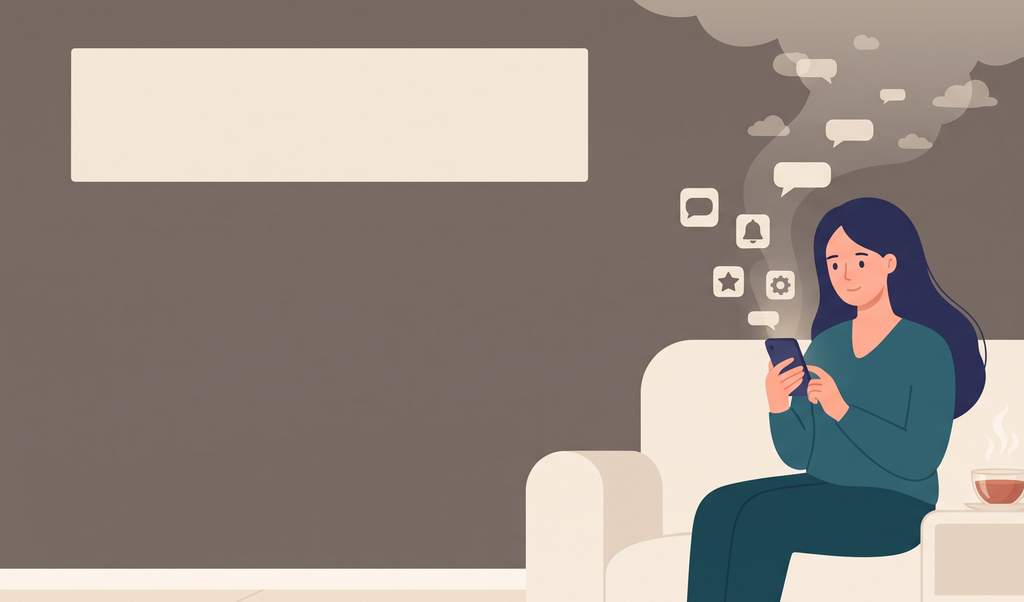
Comparison is another quiet drain. Seeing everyone’s highlights can feed what’s often called fear of missing out, the uneasy feeling that others are doing better or enjoying more than you are. You don’t need to quit social media to feel better. You just need to choose how you use it.
📊 Step 1: Audit Your Real Usage
Start with facts, just as in your time audit. Open your phone’s Screen Time (iPhone) or Digital Wellbeing (Android) and write down:
- Your daily average time on social apps
- Your top three most-used apps
- How many times you pick up your phone each day
Then, for three days, rate how you feel after each session:
| Platform | Time spent | How I felt after |
|---|---|---|
| App 1 | 40 min | Drained |
| App 2 | 15 min | Inspired |
| App 3 | 30 min | Anxious |
Mark each platform keep, limit or leave. The “how I felt” column is your most honest guide.
🧹 Step 2: Clean Your Feeds
Your feed is a mirror of what you’ve followed. Spend 20 minutes cleaning it:
- Mute or unfollow accounts that make you feel anxious, inadequate or angry. Muting is quiet and doesn’t require any awkward conversation.
- Follow accounts that teach you, inspire you or make you laugh in a healthy way
- Hide or limit topics and ads that trigger unplanned shopping, which also supports your Smart Shopping Reset
- Leave noisy group chats and communities that no longer serve you
A good target is to remove at least 20 accounts that don’t add value. Your feed will feel calmer almost immediately.
⏲️ Step 3: Set Healthy Boundaries
Boundaries work better than willpower. Choose three or four from this list:
- App time limits: set a daily limit for your top apps in your phone settings
- Notifications off: keep only calls, messages and essential alerts
- Phone-free zones: the bedroom, the dining table and the first and last 30 minutes of your day
- Scheduled check-ins: two or three short slots a day instead of constant checking
- Move apps off your home screen, or log out after each session, so opening them takes a deliberate step
These boundaries also support your sleep routine from Day 16 and your ideal week from Day 19. Write your rules on a card and keep it where you can see it.
🪪 Step 4: Tidy Your Profiles and Privacy
Your online presence deserves a quick clean-up too. For each account you’re keeping:
- Update your profile photo, bio and link so they reflect who you are now
- Review your privacy settings to choose who sees your posts, tags and personal details
- Delete or archive old posts that no longer represent you
- Check which apps and websites have access to your accounts, and remove the ones you don’t use
- Turn on two-step verification and update weak or reused passwords
- Close old accounts you don’t plan to use
This ten-minute security check protects you from many common problems and gives you a fresh start. Remember not to share sensitive details like your address, ID numbers or financial information publicly.
🎯 Step 5: Choose Your Platforms and Your Purpose
If you create content, you can’t be everywhere, and you don’t need to be. Choose one or two main platforms where your audience actually spends time and where you enjoy creating. Then decide:
- Your purpose: to teach, to inspire, to sell, to build community or simply to share
- Your audience: who you want to help, described in a sentence
- Three content pillars: the main themes you’ll talk about, such as money tips, AI tools and mindful living
Everything you post should fit one of your pillars. Fewer platforms with a clear purpose will grow your presence faster than posting everywhere with no plan. If you’re not a creator, apply the same idea to your own use: decide why you’re on each platform.
🤖 Step 6: Use AI and Batching to Keep Content Calm
Posting daily without a system leads to burnout. Instead, batch your content: create several pieces in one sitting, then schedule them. A simple rhythm might be:
- One planning hour each week for ideas and captions
- One creation block for filming, designing or writing
- A scheduling session to line up posts using each platform’s built-in scheduler or a scheduling tool
AI can speed up each stage. Try these prompts:
I’m a [type of creator] sharing content about [your three pillars] for [audience]. Suggest 20 post ideas for the next month, mixing tips, stories and questions. Make them practical and beginner-friendly.
Here is one idea: [idea]. Turn it into a short video script, a caption and a few discussion questions I can use across different platforms.
Write five caption options for this post: [summary]. Keep the tone warm and friendly, and end each with a gentle question.
Repurposing is another powerful time-saver. Turn one blog post into a short video, a few image slides and a caption. That’s one idea used several ways.
Important: AI drafts should always be edited so they sound like you. Check facts, avoid copying others, follow each platform’s rules and don’t paste private information into your prompts.
💬 Step 7: Engage With Intention and Review Monthly
Social media is meant to be social. Instead of mindless scrolling, try this:
- Set one daily engagement window of 15 minutes to reply to comments and support others
- Leave thoughtful comments on a few posts you truly enjoy
- Focus on meaningful numbers: saves, replies and messages matter more than likes
- Take a regular break, such as one phone-light day a week or a short digital pause each month
Then hold a monthly review. Ask: Which platform helped me? Which drained me? Did my content match my pillars? What will I change next month? Adjust your limits and plans accordingly.
Please note: this guide is for general information and reflection. Your experience online is personal, so choose habits that support your own wellbeing.
✅ Social Media Reset Checklist
- ☐ Checked my screen time and how each app makes me feel
- ☐ Muted or unfollowed at least 20 accounts
- ☐ Set app limits and turned off extra notifications
- ☐ Updated my profiles, privacy and security settings
- ☐ Chose one or two main platforms and three content pillars
- ☐ Used AI and batching to plan a month of content
- ☐ Set a daily engagement window
- ☐ Scheduled a monthly review
❓ Social Media Reset: Frequently Asked Questions
What is a social media reset?
It’s a clean-up of your feeds, habits and settings so your time online supports your wellbeing and your goals.
Do I have to quit social media?
No. A reset is about using it intentionally, not necessarily leaving. Some people choose a short break, and others simply adjust their habits.
How can I stay consistent as a creator without burning out?
Batch your content, repurpose each idea into multiple formats and use a realistic schedule. Posting fewer, better pieces is fine.
Is it safe to use AI for my content?
AI is a helpful draft tool, but always edit in your own voice, check facts and avoid sharing private information in your prompts.
🌿 Final Thoughts
A social media reset gives you back your attention, your time and your peace. When your feeds are calm and your habits are clear, you can enjoy the good parts of being online without the constant pull.
Tomorrow, on Day 27, head over to our sister blog and Create Your Personal Rulebook, so your new habits become clear, simple rules. And if you’d like all the New Year Prep worksheets in one place, grab the Ultimate New Year Prep Guide from The Mindful Studio Shop.
Now it’s your turn: which account are you muting first? Share it in the comments. I’d love to cheer for you! 👇