We have all been there. You are deep in research mode — a new business idea, a side project, or months worth of scattered personal notes. You decide it’s time to build a Personal AI Knowledge Graph to make sense of it all. You dump everything into a standard AI chat, ask your question, and wait hopefully.
And then… it completely misses the point. It pulls one random line from a file but totally ignores the key insight sitting five folders away. It gives you a surface-level answer when you needed deep context — the stuff that only makes sense when you look at everything together.
Here’s the truth: standard AI apps are reading your notes through a tiny keyhole. They process your data one chunk at a time, with no real sense of how your ideas relate to each other. The bigger picture? They just can’t see it.
But what if your AI could actually think like you? What if it could understand your unique context, spot the hidden links between your ideas, and bring together insights from across all your messy, scattered notes — all at once?
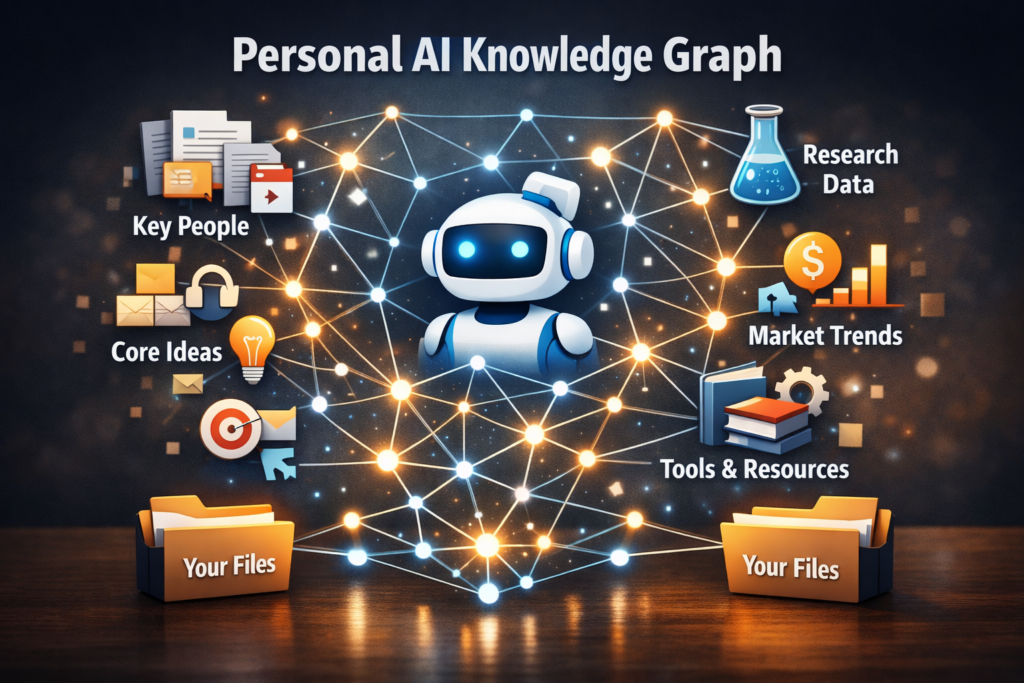
That’s exactly what a Personal AI Knowledge Graph does. Instead of treating your files like a pile of loose papers, a knowledge graph weaves your notes into a living, interconnected web of ideas. Every concept links to another. Every insight connects to something deeper. And your AI suddenly starts giving you answers that feel genuinely brilliant.
Here’s your simple, beginner-friendly guide to building your very own personal AI brain. 🧠
❌ Why Traditional AI Search Keeps Letting You Down
Most AI apps today use something called standard RAG (Retrieval-Augmented Generation). It sounds fancy, but here’s basically what happens when you ask it a question: the system scans your files, cuts them into little chunks of text, finds the chunks that seem most relevant to your question, and hands those to the AI.
For simple questions, it works fine. But for deep research? It falls apart — and here’s why:
- It can’t connect the dots: Say Document A introduces a concept and Document E explains its real-world impact. Standard RAG will rarely link the two together because they live in separate files. It sees isolated pieces, never the full puzzle.
- It can’t see the big picture: Ask it something like “What are the overarching themes across all my research notes?” and it struggles badly. It simply wasn’t built to look at your entire ecosystem of ideas at once.
This is what makes most AI tools feel frustrating when your notes get complex. It’s not you — it’s the system.
🧠 So What Exactly Is GraphRAG?
GraphRAG is a smarter approach that combines traditional AI search with a connected database layout. Instead of scanning your notes like a pile of loose papers, GraphRAG reads through your data and builds a map — identifying the key concepts, people, tools, and ideas inside your notes, and then drawing the connections between them.
Think of it in two parts:
- Nodes: The core concepts in your notes (for example: “Obsidian”, “content strategy”)
- Edges: The lines that connect them (for example: “improves”, “integrates with”, “leads to”)
Here’s a simple way to visualize the structural difference:
- Standard AI Search: Sees your data as
[ Isolated Chunk 1 ]and[ Isolated Chunk 2 ]trapped in completely separate folders. It misses the connection entirely. - GraphRAG Web: Weaves everything into a living workspace map where
[ Concept A ] ── links directly to ──> [ Concept B ].
🛠️ How to Build Your First Personal AI Knowledge Graph Step by Step
The best part? You don’t need a heavy tech background or a computer science degree to get started. Here on the Mindful AI Hacks platform, we believe tech should be accessible. Here are the two best pathways depending on how you like to work:
Method A: The No-Code Route — Obsidian or Logseq + AI Plugins
If you prefer a visual, drag-and-drop style app on your tablet or laptop, this is your path. Apps like Obsidian and Logseq are built around plain text files and they naturally create knowledge graphs as you write and link your notes.
- Step 1 — Download the App: Use a free tool like Obsidian. It naturally builds a localized knowledge graph from your notes as you write them.
- Step 2 — Install an AI Plugin: Inside the ecosystem, look for community plugins like Smart Connections or Copilot for Obsidian. These plugins scan your entire notes vault and let you have an AI conversation directly with your personal knowledge base.
- Step 3 — Run the Indexer: The plugin reads all your internal note links, builds vector embeddings in the background, and maps out your Personal AI Knowledge Graph chat space. From here, you can ask questions across your entire vault — and actually get smart, connected answers.
Method B: The Power-User Route — Microsoft GraphRAG
If you are working with a massive collection of PDFs, research documents, book drafts, or compliance data files, utilizing an open-source development pipeline is one of the most powerful tools available right now.
- Step 1 — Gather Your Reference Files: Collect all your research data — PDFs, text files, notes, spreadsheets — into one organized folder on your system.
- Step 2 — Run the Indexing Pipeline: Using standard terminal commands, you kick off the indexer. The engine automatically reads your documents, pulls out key entities, builds the structural connections, and groups related concepts into communities.
- Step 3 — Query the Brain: Once your comprehensive Personal AI Knowledge Graph is fully indexed, you can ask high-level, thematic questions like “What are the common threads across all my research?” or “How does Topic A connect to Topic B across my documents?” — and get genuinely insightful answers.
🌿 3 Simple Habits to Keep Your Knowledge Graph Sharp
Your graph is only as good as the notes you put into it. A few small digital minimalism habits go a long way:
- Use Consistent Names: If you write “Artificial Intelligence” in one note, “AI” in another, and “LLMs” in a third, your network might treat them as three separate, unconnected ideas. Pick one clear term and stick with it. Consistency is everything.
- Link Your Notes Intentionally: When you’re writing a new note, manually link it to related topics using internal wiki links like
[[Project Name]]. This gives your system a clear structural skeleton to build on when it creates your Personal AI Knowledge Graph. - Do a Weekly Cleanup: Don’t let your workspace turn into a digital junk drawer. Once a week, spend five minutes clearing out duplicate files, rough scratch notes, or old downloads that don’t belong. Cleaner data equals smarter, faster answers from your Personal AI Knowledge Graph.
🎯 Your Quick-Start Checklist
Ready to build your personal AI brain? Here is all you need to do to get a dashboard up and running:
- Choose your platform — visual note-taking app or power data pipeline.
- Gather your notes and files into one clean, organized folder.
- Run the AI indexer to extract concepts and map your connections.
- Ask a big-picture question to test your system — something like “What are the main themes across all my notes?”
Building a comprehensive Personal AI Knowledge Graph sounds technical — but once it’s set up, it genuinely changes how you interact with your own ideas. Instead of digging through folders hoping to find that one note, your AI finds the connections for you. Your notes become smarter, your research becomes faster, and your workspace finally starts feeling less like a rigid file drawer and more like a true thinking partner.
Give it a try — your future self will thank you. 💛