
Let me paint you a picture.
It’s Sunday evening. You’re sitting with a cup of tea that’s gone lukewarm because you’ve been too busy making a mental list of everything that needs to happen this week. School project. Doctor’s appointment. Grocery run. That pile of laundry. The birthday gift you still haven’t ordered. Dinner for the next five days. And somewhere in the middle of all that, you’re also supposed to, you know, sleep.
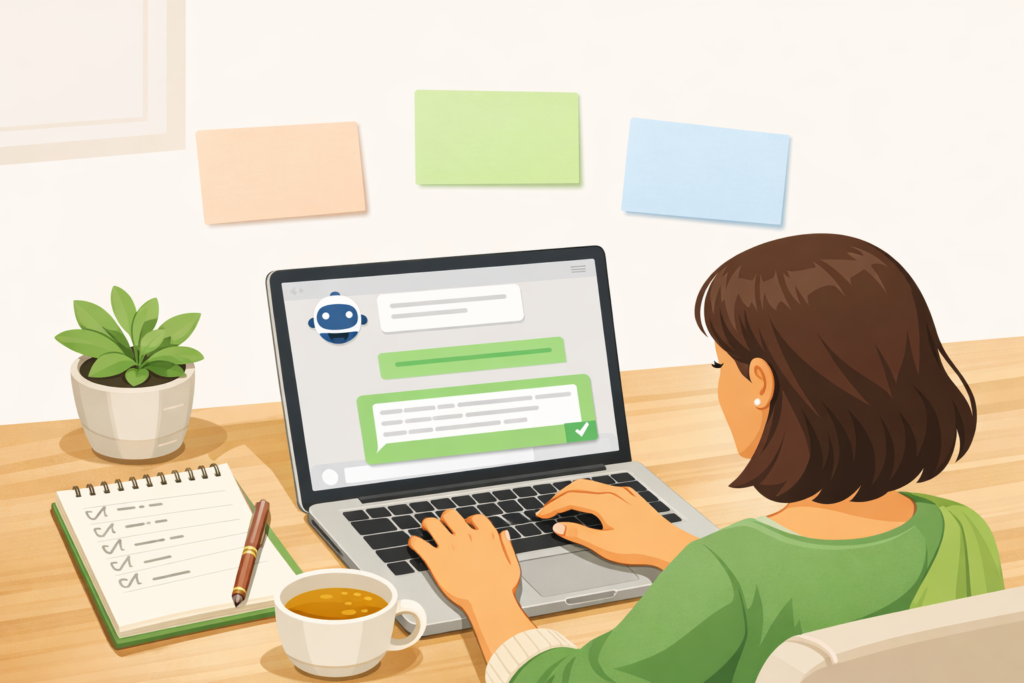
We talked recently about how AI can genuinely help clear that mental clutter — how it can quietly step in and handle the repetitive, logistical thinking that drains us every single day. And the response was so warm, so many of you said “okay but HOW? What do I actually type?”
So today, we’re going deep. This is the ultimate guide to chatgpt, your complete, beginner-friendly, no-jargon blueprint to setting up this tool and using it as your very own free personal life coordinator. Whether you’ve never opened it before or you’ve only used it once to write an email and then forgot about it — this guide is for you.
🛠️ Step 1: The Ultimate Guide to ChatGPT Setup (The Zero-Cost Way)
First, the best news: you don’t need to spend a single rupee to get enormous value out of ChatGPT. The free version is genuinely powerful — powerful enough to handle everything we’re going to talk about today.
Here’s how to get started in under five minutes:
- 🔹 Go to chatgpt.com on your laptop or browser, or download the official ChatGPT app on your phone or tablet
- 🔹 Sign up for a free account using your email address — it takes less than two minutes
- 🔹 You’ll automatically have access to the free model, which is more than capable for meal planning, scheduling, organizing, and daily life coordination
That’s it. No credit card. No complicated setup. No tech skills required.
One small tip: once you’re in, take a moment to explore the left sidebar where your past conversations are saved. This becomes important later when we talk about keeping your chats organized for maximum results.
🗣️ Step 2: The Real Secret to Getting Perfect Results — The ACT Framework
Here’s something most people never figure out, which is why they try ChatGPT once, get a vague or generic answer, and quietly give up.
The quality of what you get from AI depends almost entirely on the quality of what you put in.
If you type “give me a dinner recipe” — you’ll get something random that might need ingredients you don’t have, take ninety minutes to cook, and feed approximately nobody in your actual household. But if you give ChatGPT real context about your real life? The results are almost shockingly useful.
This is where the ACT Framework comes in. It’s a simple three-part structure for writing prompts that get you genuinely good results every single time.
A — Assign a Role
Tell the AI who it’s playing. This sounds a little strange at first, but it works because it helps the AI understand what kind of expertise and tone to bring to the response.
Example: “Act as an experienced Indian home cook and budget-conscious meal planner.”
C — Give Context
This is the most important part. Explain your actual situation — family size, preferences, constraints, time available, ingredients on hand. The more specific you are, the more tailored and useful the response.
Example: “I have a family of four. We eat North Indian vegetarian food. I have about 30 minutes to cook after getting home in the evening, and my budget is moderate.”
T — Target Output
Be precise about what you want back. Do you want a table? A bullet list? A day-by-day plan? A grocery list organized by category? Tell it exactly.
Example: “Give me a 3-day dinner menu and a consolidated grocery list broken down by section — produce, dairy, dry goods.”
When you combine all three parts, you go from getting a generic answer to getting something that feels almost like it was written specifically for your household. Because in a way, it was.
🚀 3 Master Prompt Templates You Can Copy-Paste Right Now
Okay, this is the part you’ve been waiting for. Here are three ready-to-use prompt templates built specifically for the kind of real-life chaos most of us are managing every day.
🥘 Template 1: The “Clean Out the Fridge” Meal Planner
When to use it: Thursday or Friday evening when you have random bits of vegetables and leftovers and you really don’t want to order takeout again.
The Prompt:
“Act as a creative, resourceful home chef. I want to meal plan for the next 2 days using only what I currently have in my kitchen. I have these ingredients: [list them — e.g., half a block of paneer, 3 tomatoes, a cup of curd, leftover cooked rice, and basic spices]. Suggest 3 simple, comforting meal options I can make without buying anything new. Keep each meal under 30 minutes.”
Why it works: Most of us waste more food than we realize simply because we can’t picture what to make with what’s already there. ChatGPT is surprisingly creative with ingredient combinations and will often suggest dishes you wouldn’t have thought of — using exactly what you have.
📋 Template 2: The Sunday “Brain Dump” Organizer
When to use it: Any time your head is full and the upcoming week feels like a wall of chaos you can’t see past.
The Prompt:
“Act as a calm, incredibly organized personal assistant. I’m feeling overwhelmed by everything I need to do this week. I’m going to type a messy, unedited list of tasks and responsibilities. Please organize it into a realistic Monday-to-Friday schedule. My fixed daily routines are: [e.g., school drop at 8 AM, cooking twice daily, blog work for 2-3 hours]. Here’s my messy list: [paste everything — no need to organize it first, just dump it all in].”
Why it works: The brain dump part is key. You don’t have to sort or prioritize anything before you paste it in — that’s literally the AI’s job here. What comes back is a structured, realistic week that accounts for your actual fixed commitments. It also naturally flags when you’ve overpacked a single day, which is something most of us do to ourselves constantly on Sunday evenings.
🧹 Template 3: The Household Chores Distributor
When to use it: When cleaning tasks keep piling up all week and then exploding into a full Saturday of exhaustion.
The Prompt:
“Act as a home systems expert. Create a weekly household cleaning schedule for a [e.g., 2-bedroom home with two kids]. Divide tasks into three categories: ‘Daily Quick Wins’ (under 10 minutes), ‘Alternate Days’, and ‘Weekly Deep Clean’. Keep total daily effort under 30 minutes so it feels sustainable, not overwhelming.”
Why it works: The genius here is the 30-minute daily cap. When you ask for a schedule that’s actually sustainable, ChatGPT builds one that is — rather than the idealized cleaning chart that looks great on Pinterest and lasts exactly one week in real life.
💡 Pro Tips to Make ChatGPT Work Better for You Over Time
Correct it like you’d correct a friend.
If ChatGPT suggests something that doesn’t fit your family, just say so in plain language. “We don’t eat bhindi — replace that.” Or “My child won’t eat anything with coconut, adjust accordingly.” It won’t be offended. It’ll just fix it immediately. This back-and-forth conversation is where AI really earns its place in your routine.
Keep dedicated chat threads.
In the left sidebar of ChatGPT, all your past conversations are saved. Create separate, dedicated chats for different areas — one for Meal Planning, one for Weekly Schedule, one for Household Systems. Here’s the important part: ChatGPT remembers everything said within a single thread. So the longer you use your Meal Planning chat, the more it learns about your family’s preferences, your usual ingredients, your dietary restrictions — and the better its suggestions become.
Always ask for clean formatting.
End your prompts with “present this as a clean table” or “give this as a bullet-point list I can screenshot.” This makes the output easy to scan when you’re standing in a grocery store aisle or cooking with one hand.
Use it for tiny decisions too.
We underestimate how much energy goes into small daily decisions. “What’s a quick breakfast using only pantry staples?” or “Suggest a thoughtful teacher’s day gift under ₹300” — these micro-decisions add up, and offloading even a few of them to AI frees up surprising amounts of mental energy by afternoon.
Ask it to remember your preferences.
At the start of a new chat, you can say: “Here’s what you need to know about my household before we start: [family size, dietary preferences, city, typical schedule].” This gives ChatGPT context for everything that follows in that conversation, without you having to repeat yourself every time.
🌿 Final Thought: This Is About Getting Your Peace Back
I want to say something that doesn’t always get said in AI productivity guides: the goal here isn’t to become more efficient so you can do more things. The goal is to think less about logistics so you can be more present for your actual life.
When the mental load of “what’s for dinner, what needs to get done, where did I put that list” gets lighter, something genuinely shifts. You’re less snappy at 6 PM. You sleep a little better on Sunday nights. You show up to conversations more present because your brain isn’t running seventeen background tabs simultaneously.
That’s what ChatGPT, used well, can quietly do for you.
You don’t need to become a tech person. You don’t need to understand how AI works under the hood. You just need to open a free account, try pasting one of those templates above, and see what happens.
I promise the fog clears faster than you’d expect. 💚
💬 Your Turn!
Is there a specific household challenge — a scheduling nightmare, a recurring grocery chaos, a chores situation that just isn’t working — that you’ve been struggling to sort out? Drop it in the comments below and I’ll write you a custom ChatGPT prompt you can copy and use immediately. That’s a promise! 😊